An AI system that sorts inbound email and drafts replies for a person to check. Built for a private company, so names and internal numbers are left out.
The problem
Answering email by hand is slow, and quality depends on who writes the reply. Plain AI drafts bring new risks: they can state wrong facts, repeat details from another customer's conversation, and run up costs nobody is watching.
My role
I led the project: what it should do, what it must never do, how the team would review its work, and how we measured it.
The result
About 3 in 4 drafts the team has reviewed went out: 49% exactly as written and 25% after an edit.
Drafts written from reply memory do better. In the week to 4 November 2026, 58% went out as written, 39% after an edit, and 4% were turned down.
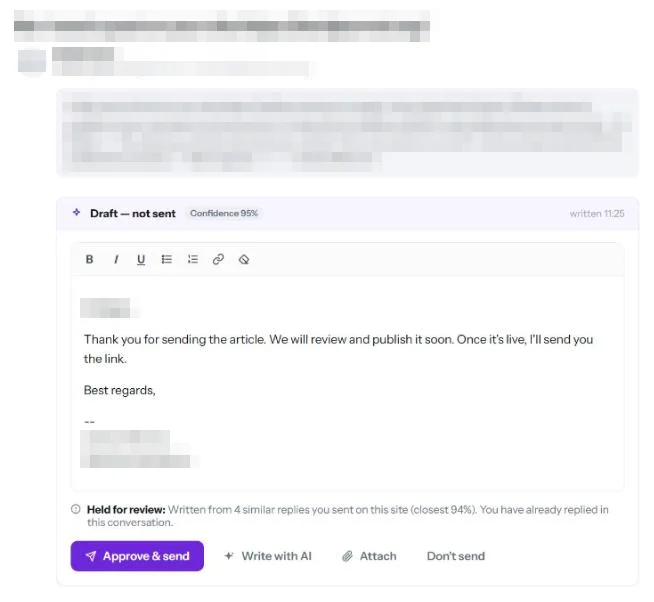
Every draft checked by a person
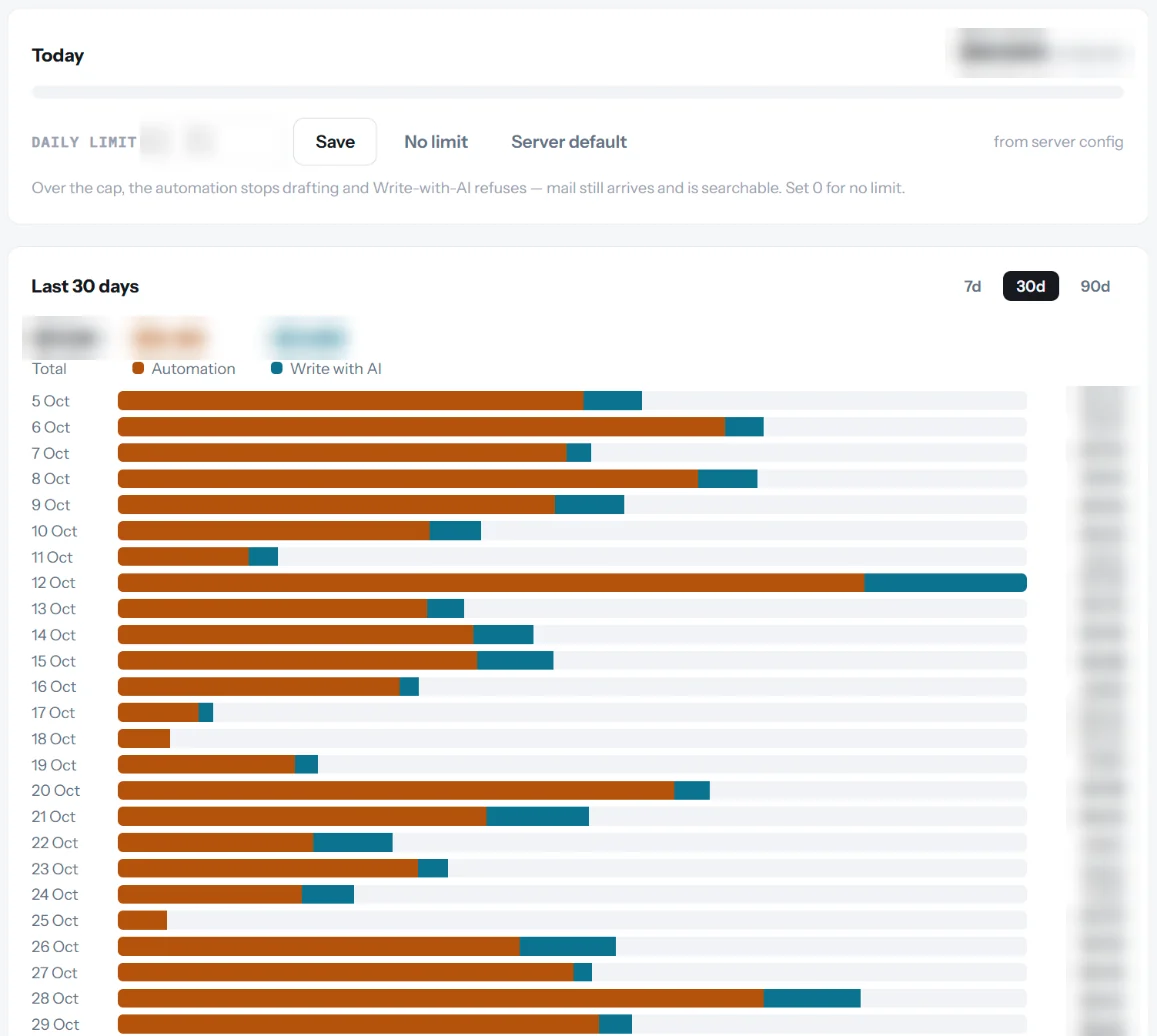
Daily spend cap
Drafts match the sent reply 77% on average
Figures as of 4 November 2026, from the system's own decision log.
What I built
Sorting and drafting: OpenAI models classify each email and write a draft reply.
A person decides: every draft waits for someone to approve, edit or reject it.
Reply memory: an embeddings search finds similar past replies, so drafts follow how the team really answers.
Privacy guard: other customers' details are masked out of the examples the AI sees.
Cost control: a daily spend cap and a usage dashboard show what the system costs.
Decision log: every approve, edit and reject is recorded, so we can see where it falls short.
What I learned
The decision log was the most useful part. Rejected drafts showed that wrong facts were a main problem (about 6 in 10 turned-down drafts in September 2026), and that finding led us to build the reply memory. Reviewing real decisions told us more than testing prompts did.
Proof
The usage dashboard: daily spend against the cap, split between automation and Write with AI. Amounts are blurred.
A draft waiting for review. It shows its confidence score and why it was held, and nothing is sent until a person approves it. Names, addresses and message text are blurred.
Need something like this?
Book a call and tell me what you want to automate.